The Google Pixel has now been launched and comes with dozens of startling features. This not only includes the top-notch hardware configuration, but Google also introduced some stunning software packages and services like the Google Assistant, Google Home, Google Movies, Google Play, the new DreamView VR and much more. However, the one thing that intrigued us at the launch, apart from the Google Pixel, was the Google Assistant. The feature comes exclusively with the new Google Pixel phones for now.
Google Assistant, as we know, is the new AI (Artificial Intelligence) project from Google that could help you in most of your daily operations and make the smartphone experience even more likable. You can find answers to your phone, start a conversation with the AI, command Google to perform operations, and much more. It would basically adapt to your habits and recommend you with relevant results to make your work productive. Other than that, we have already shown you the new Pixel Launcher that will provide you with full Android 7.1 experience.
There are actually 2 methods to get the latest Google Assistant and the new Android 7.1 Nougat features on your Android device regardless what Android version you are running on; be it Android 7.0 Nougat or 6.0.1 Marshmallow. The first is a direct Google Assistant port that would require you to flash the GA package via TWRP and make changes to the build.prop file.
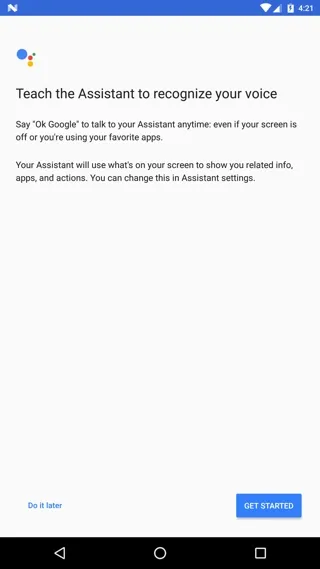
Here are 3 ultimate ways to experience Google Pixel Nougat OS on your Android device. Google Assistant screenshots below.
Method 1: Google Assistant port for Nexus, Motorola, OnePlus, YU on Android 7.0 Nougat
This method can be split into 2 categories. Firstly, making changes in the build.prop. Secondly, directly flashing the Google Assistant package via TWRP. Both these methods require a rooted device and works with Nougat firmware only like official Android 7.0 for Nexus, CyanogenMod 14, etc.
Supported & Tested devices:
Google Nexus 6P | Stock NBD90X
Google Nexus 5X | OctoOS
Google Nexus 6 | OctoOS
Google Nexus 5 | AOSP 7.0 by Santhosh M | BOKROM
Google Nexus 4 | needs testing
Google Pixel C | needs testing
Moto G 2013 (falcon) | CM14 | AOSP
Moto G 2015 (osprey) | AICP 12.0 NRD90Z | AOSP-OMS 7.0 NRD90U
OnePlus One | Legendary CM14
Lenovo VIBE K5 Plus | CM14
YU Yureka Plus | AICP 7.0.0_r14
1: Replace product model name to Google Pixel in build.prop
Requirements:
- Make sure your Android device is running the latest Android 7.0 Nougat based ROMS. CM 14 and Nougat based AOSP ROMS will also work.
- Requires the latest Google app version 6.5.35.21 or later
- Download a build.prop file editor
Installation instructions:
Download and install the build.prop editor app from the Play Store
Note: you can also access the build.prop file via normal file manager/root browser.
Open the build.prop editor and grant root access when prompted via SuperSU.
Once done, replace or add the following entries from within the app.
Add or replace the following. You can search for the strings listed below and change the value. If the values do not exist, then add the values in the build.prop file.
ro.product.model=Pixel XL
ro.opa.eligible_device=true
Once done, the Google Now will show up Google Assistant features. Else, you may want to install the latest Google Now version with Google Assistant features from the Play Store.
2: Flash Google Assistant via TWRP recovery
As for the requirements, you will need custom TWRP recovery installed. You will also require 3 files viz, GoogleAssistantBuildProp.zip. GoogleAssistantVelvet.zip, tweak.prop created by FaserF.
- Uninstall the Google Now app and
- Download the 3 required Google Assistant files: GoogleAssistantBuildProp.zip. GoogleAssistantVelvet.zip, tweak.prop from this link.
- Transfer all the files in your Android device’s internal storage.
- Reboot into TWRP recovery.
- Perform a full backup with all partitions checked.
- Flash 2 files in the following order:
- GoogleAssistantVelvet.zip
- GoogleAssistantBuildProp.zip,
- Reboot to system.
Note that you will need o provide all the permissions to the Google Assistant app manually. You can manually replace the tweak.prop from above method as well. Now, it’s time to play with Google Assistant.
Method 2: Download AndroidN-ify Xposed module for most of the Android 7.1 Nougat features like Google Assistant
AndroidN-ify is a Xposed module that has been popular for introducing the latest Nougat features and services to devices running older OS versions like Android 6.0.1 Marshmallow. So if you have Xposed setup, the get the latest AndroidN-ify module. This method is for rooted users who have the latest Xposed framework setup on their Android device.
- Download and install the latest Xposed framework from our popular guide here.
- Once you setup Xposed on your Android device, install the latest AndroidN-ify module from the full Xposed repository.
- This will provide you with the latest Android 7.1 Nougat features.
- Reboot once and setup the Google Assistant for the first time.
- You may want to provide permissions manually.