
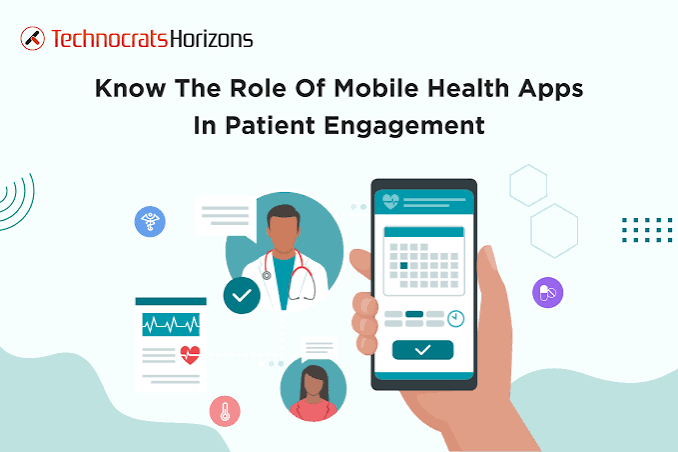
Healthcare providers are looking for better ways to manage appointments, communicate with patients, and deliver convenient medical services. From private clinics and specialty practices to urgent care centers, digital tools are helping healthcare businesses reduce administrative workloads and improve the patient experience. A healthcare mobile app development company can help medical organizations build applications that connect patients with healthcare services while supporting essential clinical and administrative workflows.
In Miami, where healthcare providers serve residents, international visitors, and patients seeking specialized treatment, mobile applications can offer practical benefits. Features such as digital appointment booking, patient portals, telehealth consultations, and prescription reminders allow medical practices to provide more accessible services without relying entirely on phone calls and in-person visits.
Why Medical Practices Need Healthcare Mobile Apps
Managing a medical practice involves more than treating patients. Staff members must coordinate appointments, maintain records, communicate instructions, process administrative requests, and organize follow-up visits.
When these activities depend on disconnected systems, patients may experience delays, while administrative teams spend valuable time handling routine requests.
A healthcare mobile application can bring selected services into one digital platform. Patients can request appointments, receive notifications, access approved medical information, and communicate with their providers through their smartphones.
For medical practices, these applications can support more organized workflows and provide another channel for patient engagement. However, the features should reflect the practice’s actual needs rather than adding unnecessary functionality.
Five Important Features of Healthcare Mobile Applications
1. Online Appointment Booking
Appointment management is one of the most practical features for healthcare applications. Patients can view available time slots, select a provider, schedule consultations, and receive booking confirmations.
Automated reminders can help patients remember upcoming appointments, while cancellation and rescheduling features make it easier to manage changes.
For clinics with multiple physicians or specialties, the application can display relevant availability and appointment types. Integrating the booking system with the practice’s existing scheduling software helps prevent conflicting appointments and duplicate records.
2. Digital Patient Registration
Patient registration often requires collecting demographic information, medical history, insurance details, and consent forms.
A digital intake feature allows patients to complete selected forms before their visit. The information can then be transferred to authorized practice management systems after appropriate validation.
This process can reduce repetitive paperwork and help staff prepare for scheduled consultations. Applications should collect only the information needed for their intended purpose and provide appropriate safeguards for sensitive data.
3. Secure Patient Portals
Patient portals provide access to information such as appointment histories, laboratory results, prescriptions, and clinical documents made available by healthcare providers.
A well-designed portal should make essential information easy to find while ensuring that patients can access only records they are authorized to view.
For practices using electronic health record (EHR) systems, integration can help keep information consistent across connected platforms. Depending on the systems involved, developers may use FHIR APIs, HL7 interfaces, or vendor-specific integration methods.
4. Telemedicine Consultations
Telemedicine enables healthcare professionals to conduct suitable consultations remotely. A mobile application can combine video appointments, scheduling, secure messaging, and follow-up instructions in one place.
This can be useful for routine follow-ups, medication reviews, and selected consultations that do not require an in-person examination.
Medical practices should establish clear procedures for identifying situations that require in-person care and protecting patient privacy during remote appointments.
5. Prescription and Follow-Up Reminders
Patients managing ongoing health conditions may need reminders for medications, laboratory tests, and follow-up visits.
An application can provide notifications based on a patient’s care plan and display relevant instructions from an authorized source. These features can help patients stay informed and maintain communication with their healthcare providers.
Notifications should be configurable and designed to avoid exposing sensitive medical information on a locked screen.
How Healthcare Apps Support Different Medical Specialties
Healthcare applications can be developed around the requirements of specific specialties rather than using the same feature set for every practice.
- Dental clinics: Appointment booking, treatment reminders, digital forms, and post-procedure instructions.
- Dermatology practices: Appointment requests, secure photo submissions where clinically appropriate, and follow-up communication.
- Physical therapy centers: Exercise instructions, appointment schedules, progress tracking, and therapist communication.
- Cardiology practices: Selected monitoring features, follow-up reminders, and access to approved patient information.
- Pediatric clinics: Appointment scheduling, vaccination reminders, and communication tools for authorized parents or guardians.
Each application should account for the specialty’s clinical workflows, patient population, and privacy requirements. Features involving medical images, health measurements, or clinical recommendations need appropriate review and safeguards.
Security and Privacy in Healthcare App Development
Healthcare applications may process sensitive information, making security a core development requirement.
Medical practices should evaluate authentication, encryption, access permissions, audit logging, secure API communication, and data retention procedures before launching an application.
For U.S. healthcare providers, HIPAA obligations depend on the organization, the information involved, and the roles of the businesses processing that information. Development teams and healthcare organizations should determine their respective responsibilities and assess third-party services before sharing protected health information.
Security testing and maintenance must continue after launch. Software updates, access reviews, vulnerability management, and incident response planning help protect patient information as the application evolves.
Choosing a Mobile App Development Company Miami Healthcare Businesses Can Rely On
Selecting a mobile app development company Miami healthcare business can work with requires more than comparing development prices. The right partner should understand mobile technology, integration requirements, data security, and the operational challenges of healthcare providers.
Start by identifying the primary purpose of the application. A small clinic may need online booking and patient intake, while a larger medical organization may require EHR integration, telemedicine, and multiple user roles.
Review the development team’s experience with iOS and Android applications, backend systems, cloud infrastructure, API integration, and ongoing maintenance. Ask how the team plans to protect patient information, test critical workflows, and handle future updates.
It is also important to agree on the initial scope, delivery milestones, expected costs, and post-launch support. Starting with essential features can help a medical practice validate its application before investing in more advanced capabilities.
Appicoders develops mobile applications and software solutions based on business requirements. Healthcare providers can explore application concepts for appointment management, patient engagement, telemedicine, and connected digital services.
Steps to Launch a Healthcare Mobile App
Building a useful healthcare application requires a structured approach.
First, identify the problem. Determine which patient or administrative workflow needs improvement.
Second, define the essential features. Prioritize functions that address the most important challenges for patients and staff.
Third, plan integrations and security. Identify the existing healthcare systems the application must connect with and establish data protection requirements.
Fourth, design and develop the application. Create an accessible interface, implement the required features, and test the main user journeys.
Finally, launch and improve. Monitor application performance, collect feedback, address technical issues, and introduce improvements based on actual usage.
Conclusion
Healthcare mobile applications can help medical practices improve appointment management, simplify patient registration, support telemedicine, and make selected medical information more accessible. For Miami healthcare businesses, the right solution can create a convenient digital connection between patients and providers while supporting everyday operations.
The most effective application starts with a clear understanding of the medical practice’s needs, followed by secure development, appropriate integrations, and ongoing maintenance.
Planning a healthcare mobile app for your medical practice? Contact Appicoders to discuss your requirements, essential features, integration needs, and development timeline.
