

Google’s very own flagship Pixel 2 is out for a month now and is running in all its glory. With the Android 8.0 and other latest features in its arsenal, no wonder everyone wants to experience those on their devices. To make it even more accessible, now enthusiastic developers came up with Pixel 2 ROM port for some Nexus phones which brings Android Oreo 8.0 as well as the latest 8.1 Oreo.
The latest Google Pixel 2 ROM port basically comes for the Nexus 5X and Nexus 6P for now. It is loaded with features like the exclusive Pixel 2 launcher with a Google search widget at the dashboard, new bootanimation, stock and live wallpapers, night mode, Google Lens, and much more. You name it and you have it. We have listed all the new features below.
You will also see the new navigation buttons, 30dp, 36dp, 42dp Navigation Bar, Oreo Pixel 2 audio, camera ports. The Pixel blue accent color are the most attractive thing about this mod. However, a few features are still under development so we may expect some minor bugs. We can expect an updated build soon. We have included the direct download links and put forth a simple tutorial to easily flash the ported ROM on your Nexus devices.
Features of Pixel 2 ROM for Nexus 5X/6P
So here are the collective features that this ported package brings for the Nexus devices.
- Oreo Pixel 2 Launcher (animated clock icon)
- Pixel 2 live wallpapers
- Blue Accent color
- Night Mode
- Round Icons
- Oreo Pixel Audio and Pixel 2 Audio
- Stock Pixel Oreo Boot Animation
- Navigation Buttons
- Google Lens
- 30dp, 36dp, 42dp Navigation Bar
- Stock Color Mods
- CameraNX
- Always On Display with Burn In Protection Enabled
Features Under Development
- Pixel Navigation Bar Animation
- Unlimited Photo Storage
- Fixing Bugs in Location Based Live Wallpapers
- To bring Old Pixel Live Wallpapers Back
Screenshots of Pixel 2 ROM for Nexus 5X/6P
Here are some of the screenshots of Nexus 5X and 6P modded with Pixel 2 ROM.
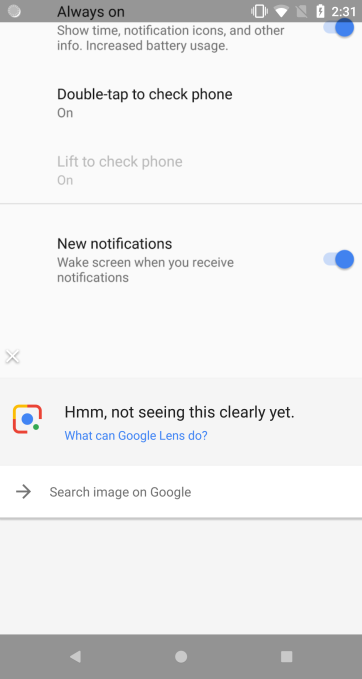
Nexus 6P with Google Lens After Modded With Pixel 2 ROM
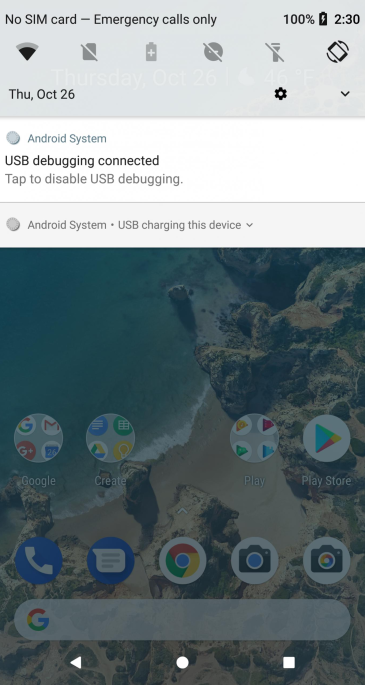
Nexus 5X Screen Post-Mod With Pixel 2 OS
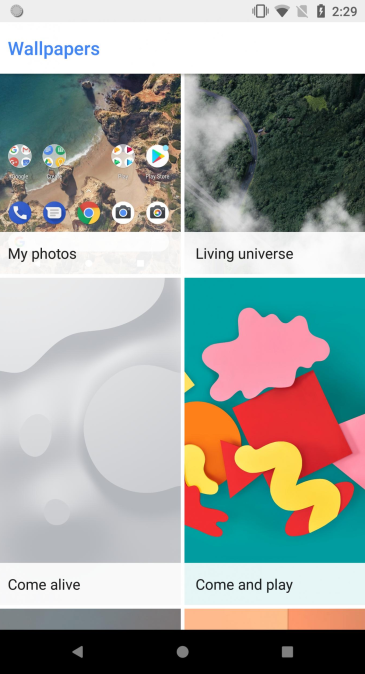
Pixel 2 Wallpapers And Live Wallpapers on Nexus 5X/6P
Download Google Pixel 2 ROM Port for Nexus Phones
Here are the complete download links for all the kinds of stuff you require to flash the OS for your 5X and 6P devices.
Note: The MODS may come with bugs. We won’t not be responsible for any error/damage during the flashing of MOD. If you use Substratum Theme Engine, do not use this.
Pixel 2 MOD for Nexus 5X
- Pixel 2 MOD with Android 8 Oreo | Download | zip file
- MOD of Pixel 2 Based on Android 8.1 | Download | zip file
Navigation Bar Mods
- 30DP | Download
- 36DP | Download
- 42DP | Download
- Stock Color Mod | Download
Pixel 2 MOD for Nexus 6P
- Based on Android 8.0 | Download | zip file
- Android 8.1 Pixel 2 MOD | Download | zip file
- Pixel 2 Launcher With Android Oreo
- Pixel 2 ROM port for Samsung
- Pixel 2 Camera
- Pixel 2 stock and live wallpapers
- Google Pixel 2 Launcher setup without root
How to Install Pixel 2 ROM Port on Nexus 5X/6P?
Before we get on with the installation here is a set of points you must enable in order to flash the modded ROM.
Pre-Requisites
- To flash anything customized you have to unlock the bootloader of the device.
- Flash latest TWRP on your Nexus device.
- Also, you have to install ADB and fast boot environment.
- After flashing TWRP, take full Nandroid backup of system, data, boot, recovery, EFS, and cache.
Steps To Flash The MOD:
Step-1: Download the Google Pixel 2 ROM port based on either Android 8.0 Oreo or 8.1 Oreo for your Nexus devices.
Step-2: Move all the files to phone’s internal storage or SDcard.
Step-3: Now, reboot phone into TWRP recovery mode. To do it, switch-off your device and then long press the power button and volume down key for a few seconds. (Power + Home + Volume down/up)
Step-4: Take a full Nandroid backup from TWRP in case you would want to restore. Backup partitions like system, data, boot, recovery, EFS and cache(optional).
Step-5: Wipe the current system or factory reset. Wipe data, system, etc. DO NOT WIPE INTERNAL STORAGE.
Step-6: Go to homescreen on TWRR and tap on Install option. Select the Pixel 2 ROM port zip and approve the installation.
Step-7: After installation process finishing reboot to system.
Therefore, if you are on a Nexus device and craving to experience Pixel 2, then go ahead and try this out. Follow all the steps carefully and you’d be good to go. Also, follow our social media pages to get latest updates, news, MODs, downloads and everything regarding Android.